WebBlocks Live Chat
Answer website visitors from the CMS with a self-hosted chat widget and operator inbox.
By WebBlocks · First-party · MIT license
Free · 9 downloads · Latest release 0.1.0
For Small teams offering live help on their own website.
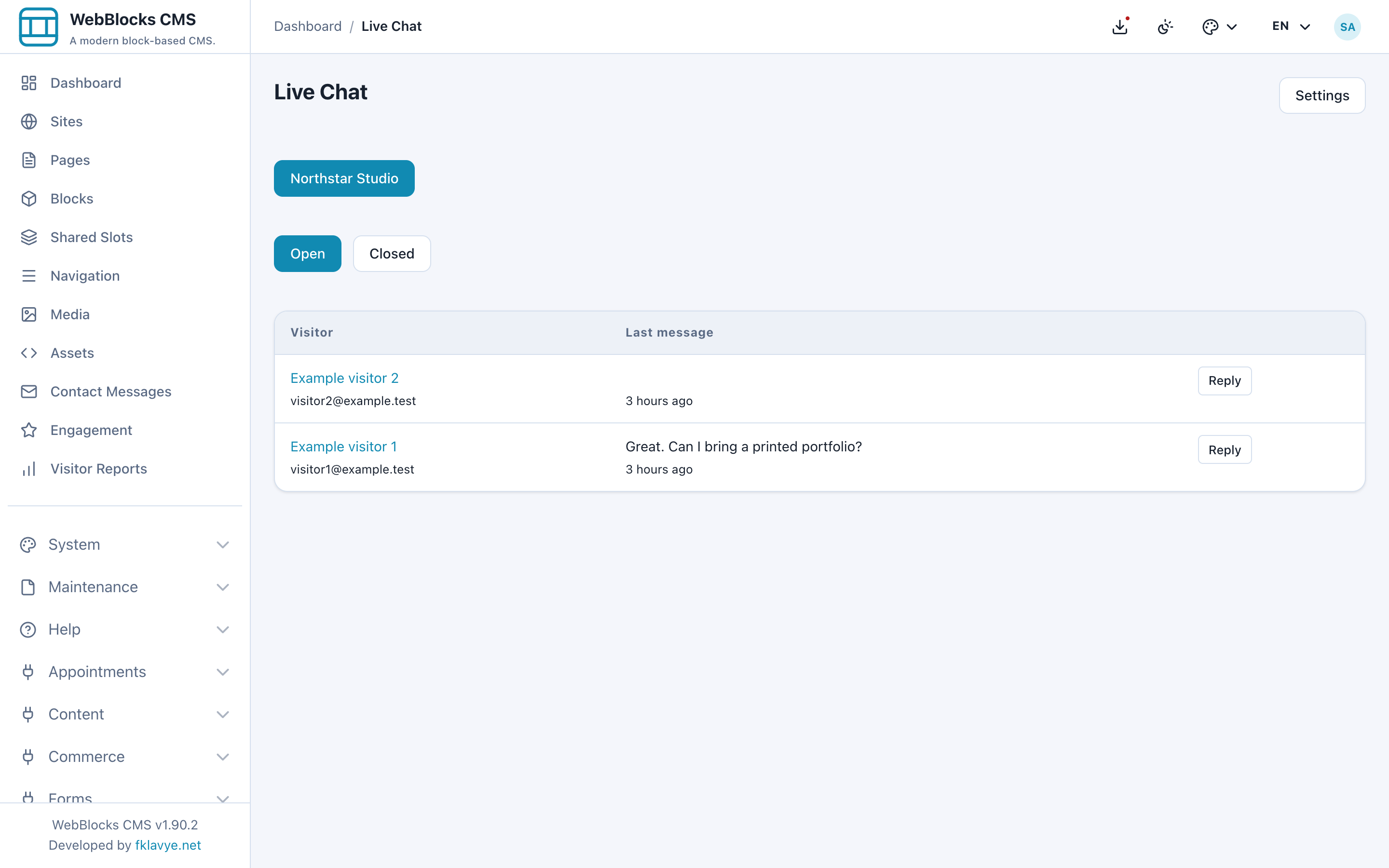
See the actual interface
Click a screenshot to inspect it at full size. These are installed product screens with fictional showcase data.
What you can do
- Enable the widget and configure online or offline copy for each site.
- Collect a visitor name and optional email address.
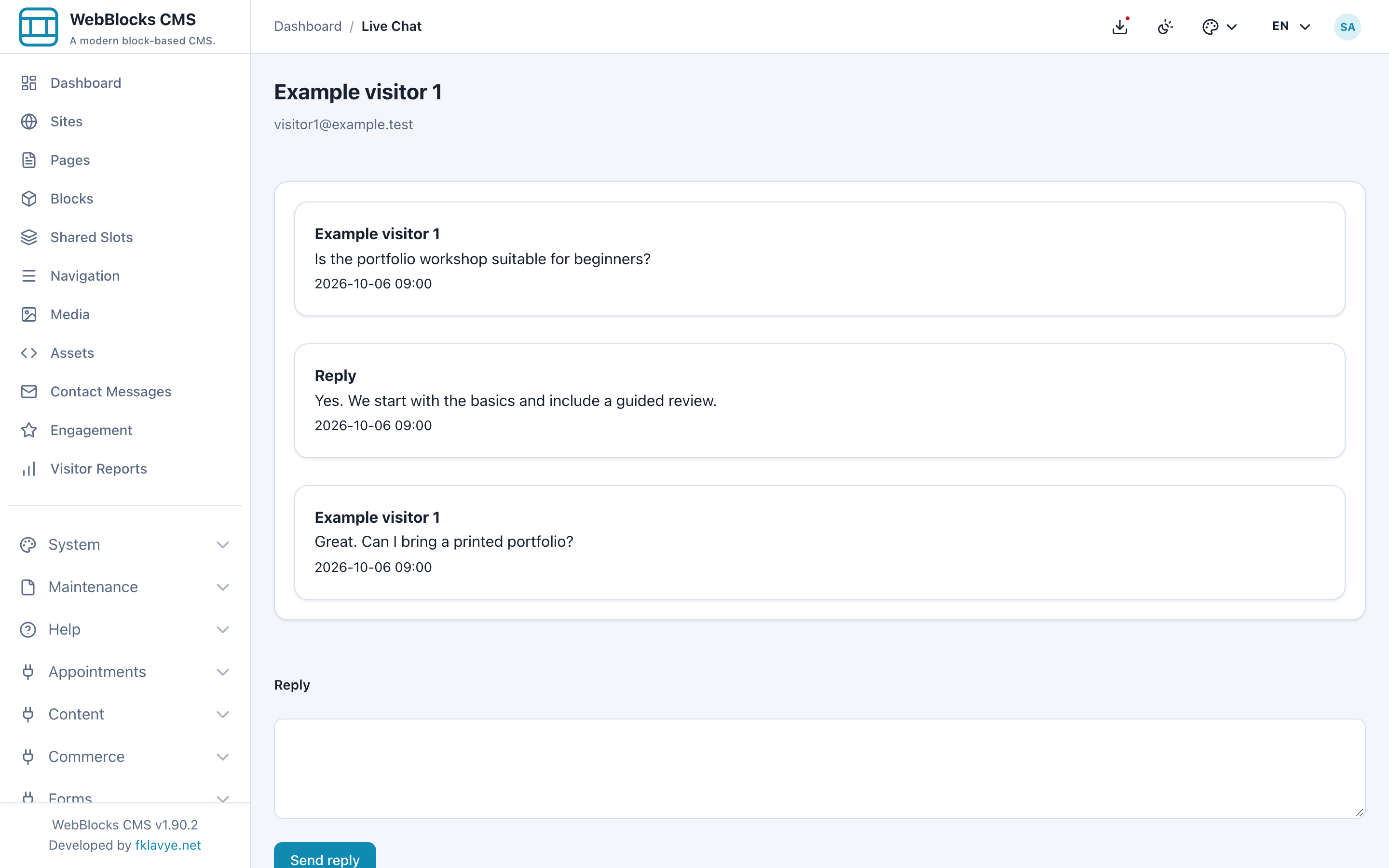
- Read unread conversations, reply, close and reopen them from the operator inbox.
- Run through short polling on ordinary PHP hosting without an external chat service.
Before you install
The first release polls for new messages; it does not require a WebSocket service. Operators need to monitor the inbox. Conversations and messages belong to the site installation.
More screens
Compatibility and package
Package version 0.1.0 · stable channel · Free · MIT
WebBlocks CMS ^1.88.0 · PHP ^8.4 · Laravel ^13.0
Screenshots were checked on WebBlocks CMS 1.90.2, Laravel 13.34.0 and PHP 8.4. The pictured screens are specific to the package version above.
ZIP: webblocks-live-chat-0.1.0.zip · 22.7 KB
SHA-256 checksum
ff892376ea10bf281a4653ff543d2064e6a8038279916585a1c69559c45f5479Package structure validation: passed. Malware scan: not_scanned.
Get started
- Install the ZIP from System → Plugins. Review the package and permissions; it is initially disabled.
- Enable the plugin and run its plugin migrations.
- Open Live Chat settings for the target site and enable the widget.
- Set availability, the widget position and visitor-facing copy.
- Open the inbox and test a visitor conversation before offering live support.