WebBlocks Polls
Publish multilingual polls on your CMS pages and review aggregate voting results.
By WebBlocks · First-party · MIT license
Free · 24 downloads · Latest release 0.1.2
For Editors collecting lightweight audience feedback.
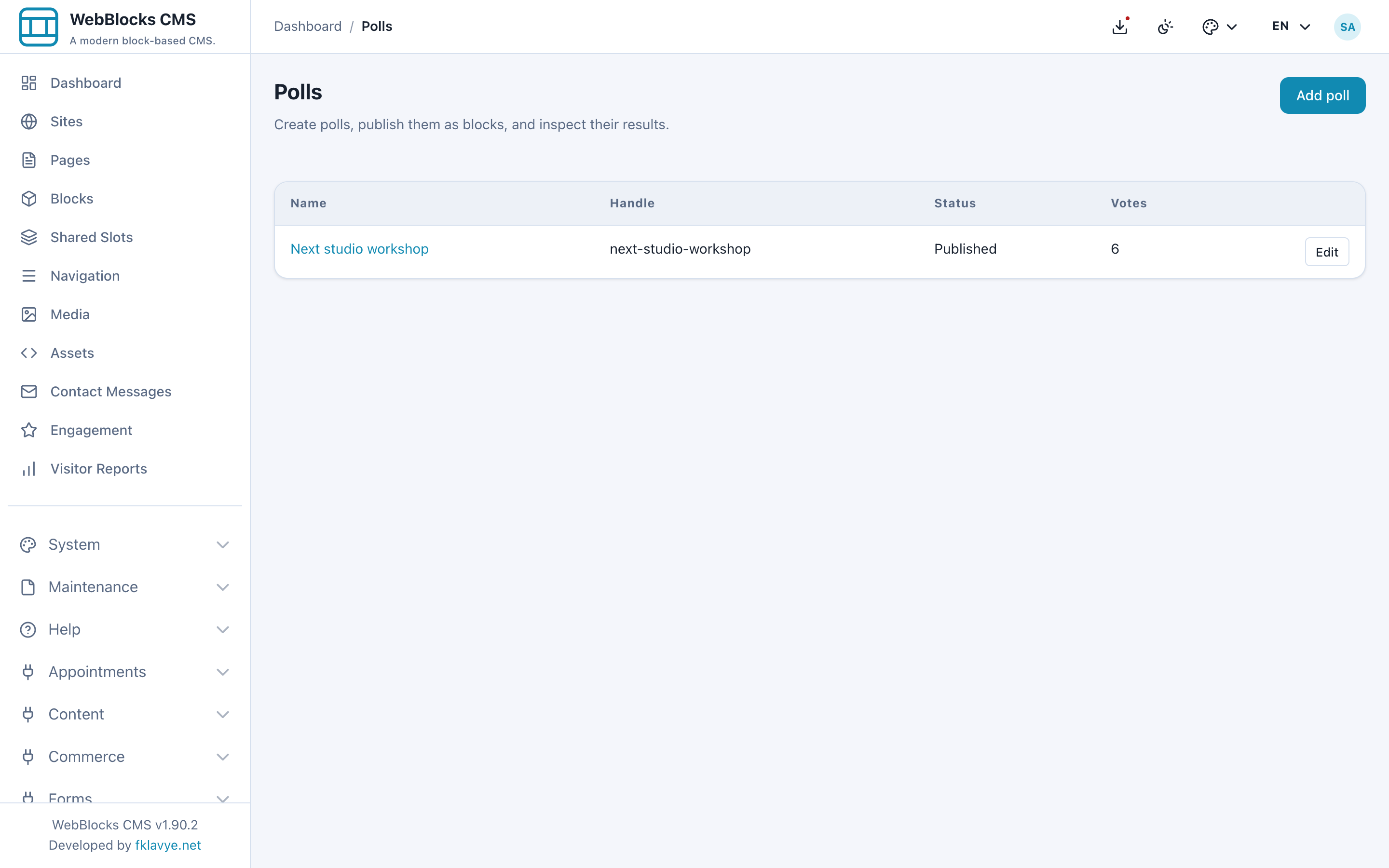
See the actual interface
Click a screenshot to inspect it at full size. These are installed product screens with fictional showcase data.
What you can do
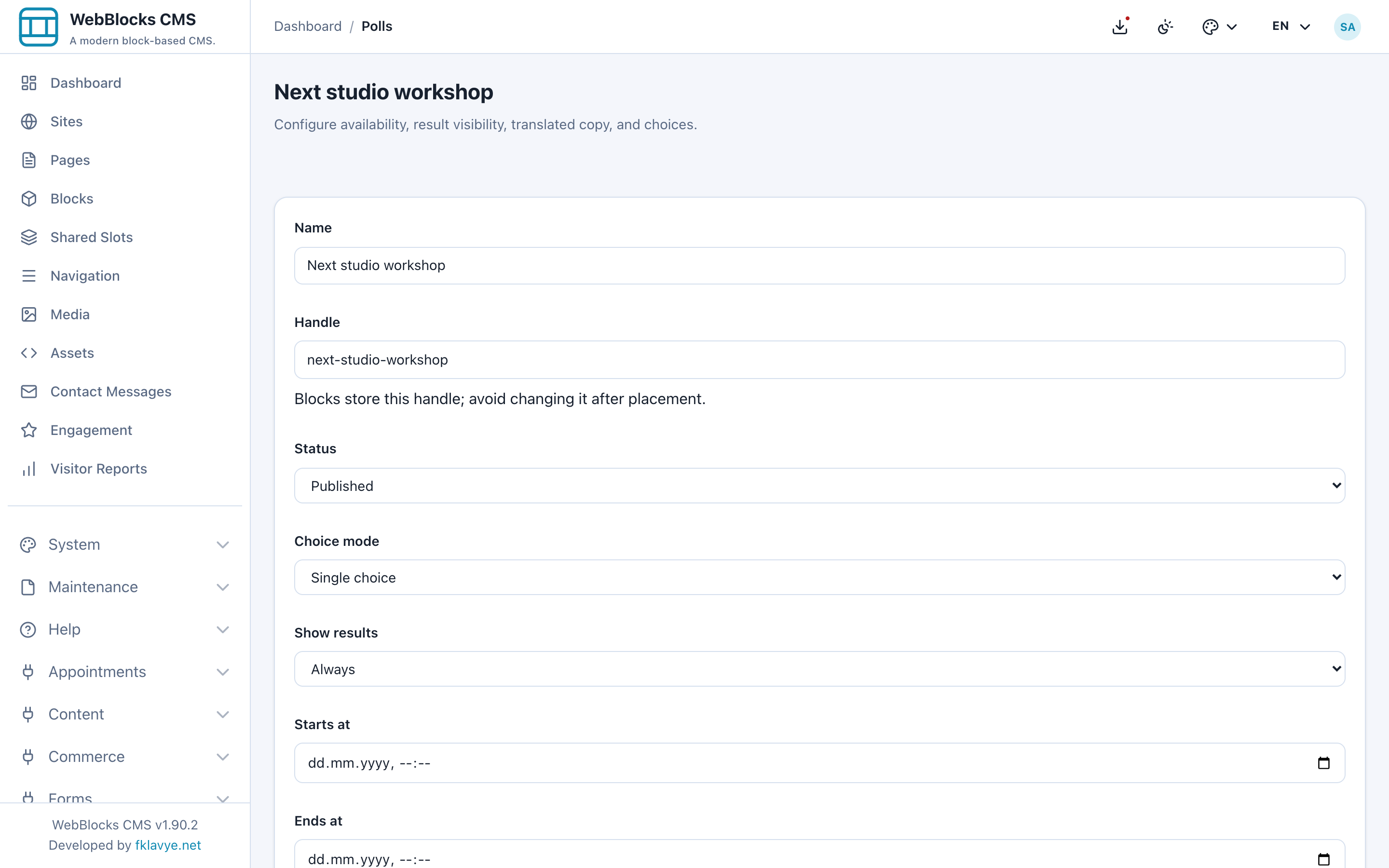
- Create single-choice or multiple-choice polls with translated questions and options.
- Choose draft, published or closed states and optional opening and closing times.
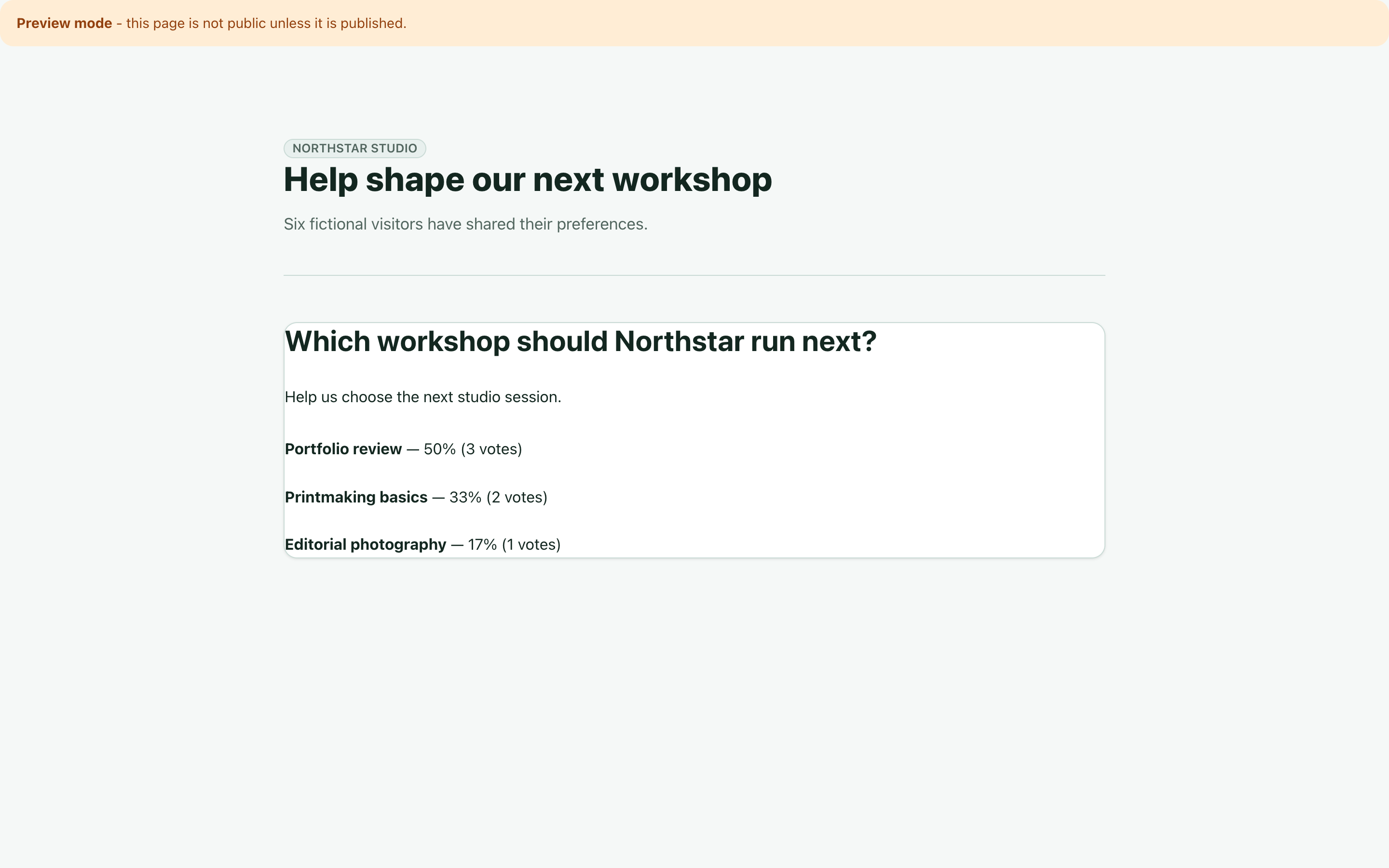
- Control when results become visible and place a Poll block on a page.
- Review aggregate votes and export results to CSV.
Before you install
Duplicate-vote protection is a practical deterrent, not identity verification. Clearing a session or changing networks may allow another vote. Screenshots use synthetic votes.
More screens
Compatibility and package
Package version 0.1.2 · stable channel · Free · MIT
WebBlocks CMS ^1.81.0 · PHP >=8.3
Screenshots were checked on WebBlocks CMS 1.90.2, Laravel 13.34.0 and PHP 8.4. The pictured screens are specific to the package version above.
ZIP: webblocks-polls-0.1.2.zip · 28.4 KB
SHA-256 checksum
908dec32c9e3c3cc13c073be80c89449a10acec000afa0e23c1e56440f0ac761Package structure validation: passed. Malware scan: not_scanned.
Get started
- Install the ZIP from System → Plugins. Review the package and permissions; it is initially disabled.
- Enable the plugin and run its plugin migrations.
- Create the poll, its question, choices and translations.
- Choose the voting window and result-visibility policy.
- Publish the poll when ready and place its Poll block on the intended CMS page.